Blender Addon
Lighting should feel like
pointing, not pushing.

Dragging lights around in Blender and guessing where highlights will land breaks creative flow. Light Wrangler replaces that friction with a cursor-driven workflow where lights go exactly where you point.
"Early days, but my god. What a game changer for me. It's a clever piece of software that makes a massive difference to my work. Rather than fighting with the technical aspect of lighting, I can concentrate on just making my work look beautiful. Don't overthink it. Get it."
— Tom
Point where you want the light.
Hover your cursor over any surface and the light repositions itself in real time to match. No dragging, no guessing — the light goes where you're looking.

Three ways to place light.



Reflect mode. Aim at any surface and the light repositions to place a specular highlight exactly at your cursor.
While you're placing it.
Adjust power, size, distance, exposure, and light isolation without leaving the viewport. Everything stays under your cursor — no panels, no context switching.
Adjust power. Shift+scroll for size. Alt+scroll for distance. Ctrl+scroll for spread.
Solo this light — all other lights go dark, letting you evaluate its contribution in isolation.
False Color overlay. Instantly verify exposure without leaving interactive mode.
Aim at any object to toggle light linking for this source. Shift+L for shadow linking.
Once these shortcuts become second nature, lighting in Blender starts to feel less like technical setup and more like creative sketching.
Now shape it.
After positioning a light, enter its customization mode to refine the output. Every light type comes with dedicated modes and built-in asset libraries.
Scrim mode.
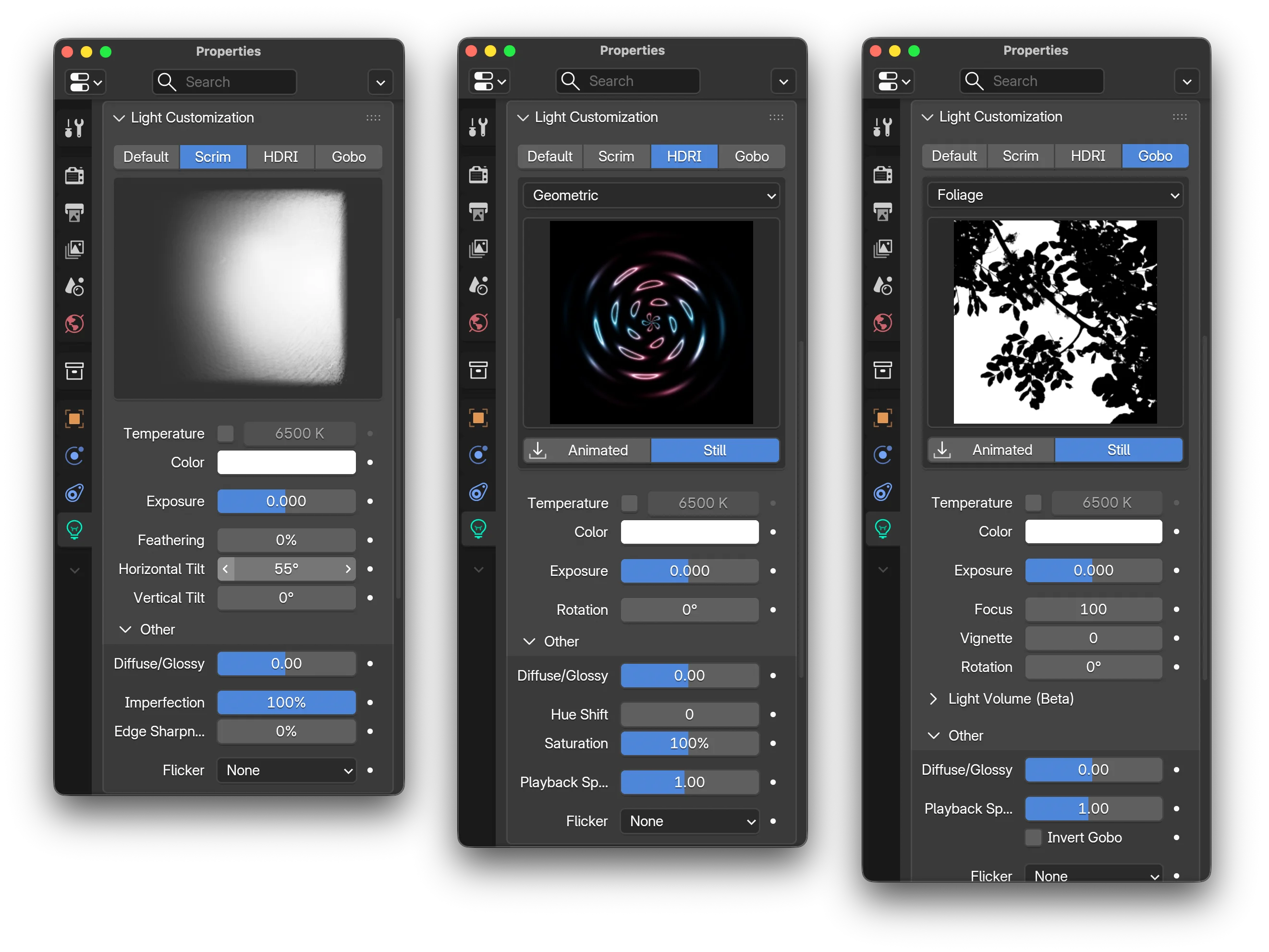
Control gradients, edge falloff, and surface imperfections with a handful of sliders — all updating in real time as you adjust.

Scrim controls with live preview
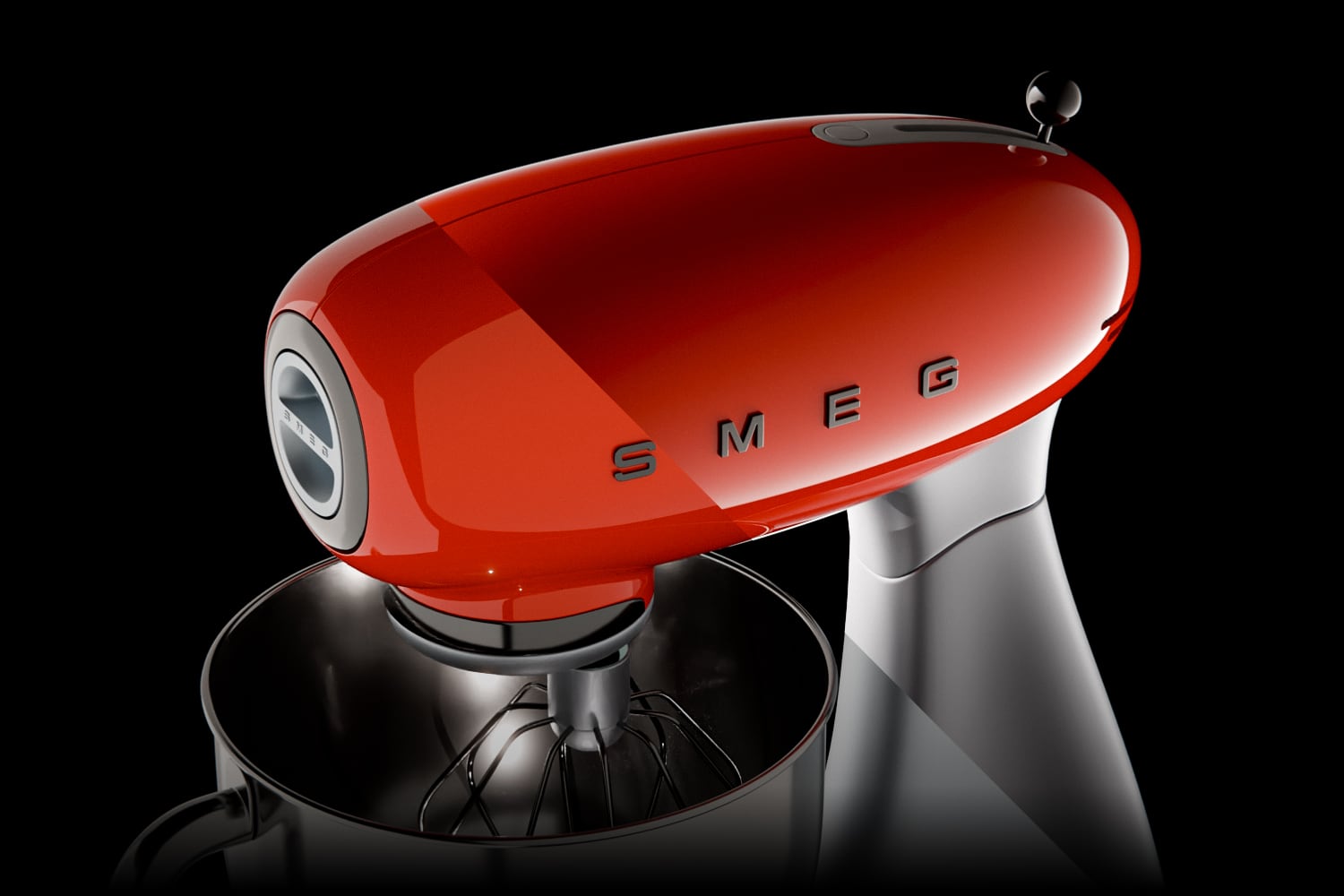
Result on a product render
Light textures for area lights.
These aren't environment HDRIs — they're textures mapped directly onto area lights. Browse the library from HDRI mode and apply with one click.
Studio lights. Softboxes, octaboxes, parabolic reflectors, and gradients. On glossy surfaces, the shape of your light source shows up in reflections — a plain rectangle looks like CG, but these textures replicate the silhouettes of real studio equipment for authentic results.
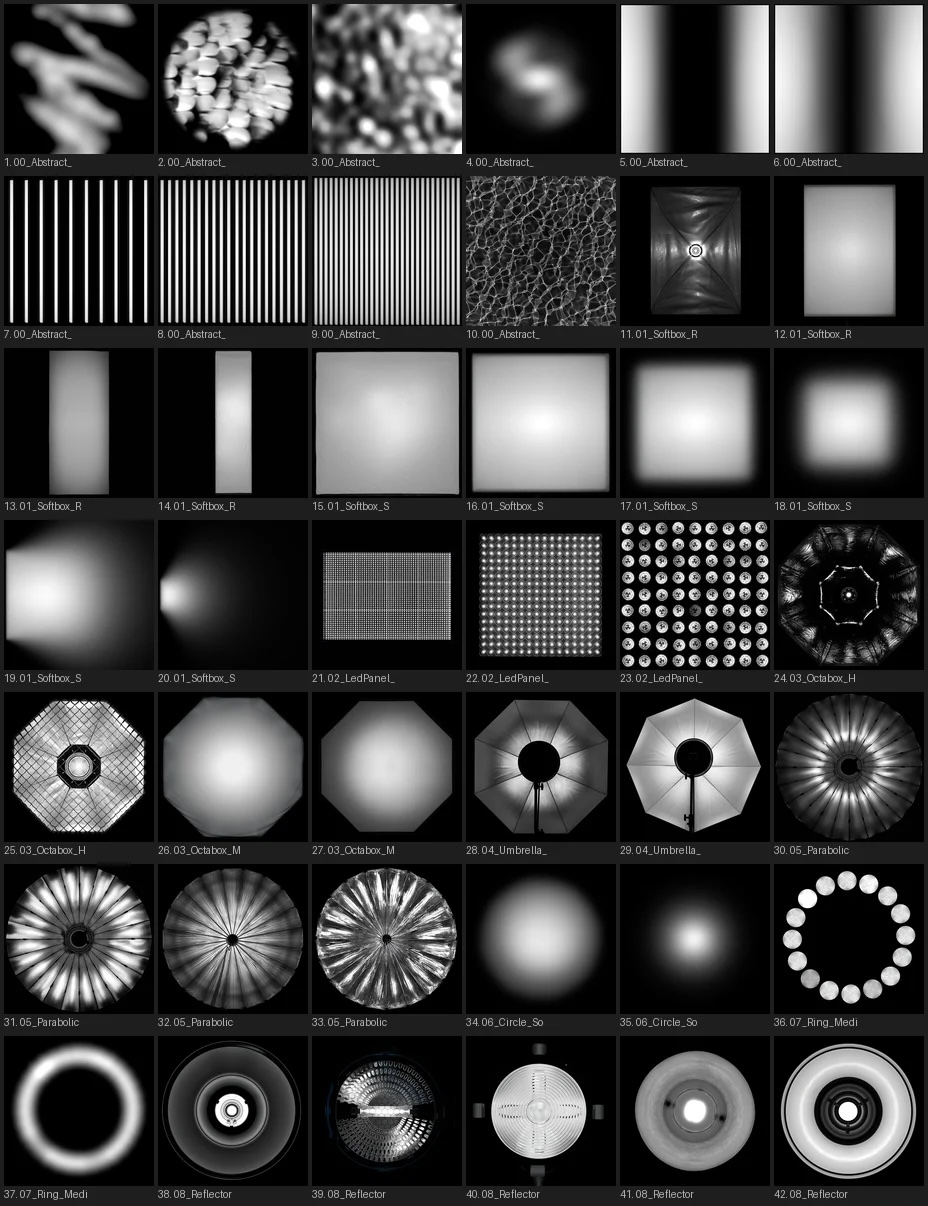
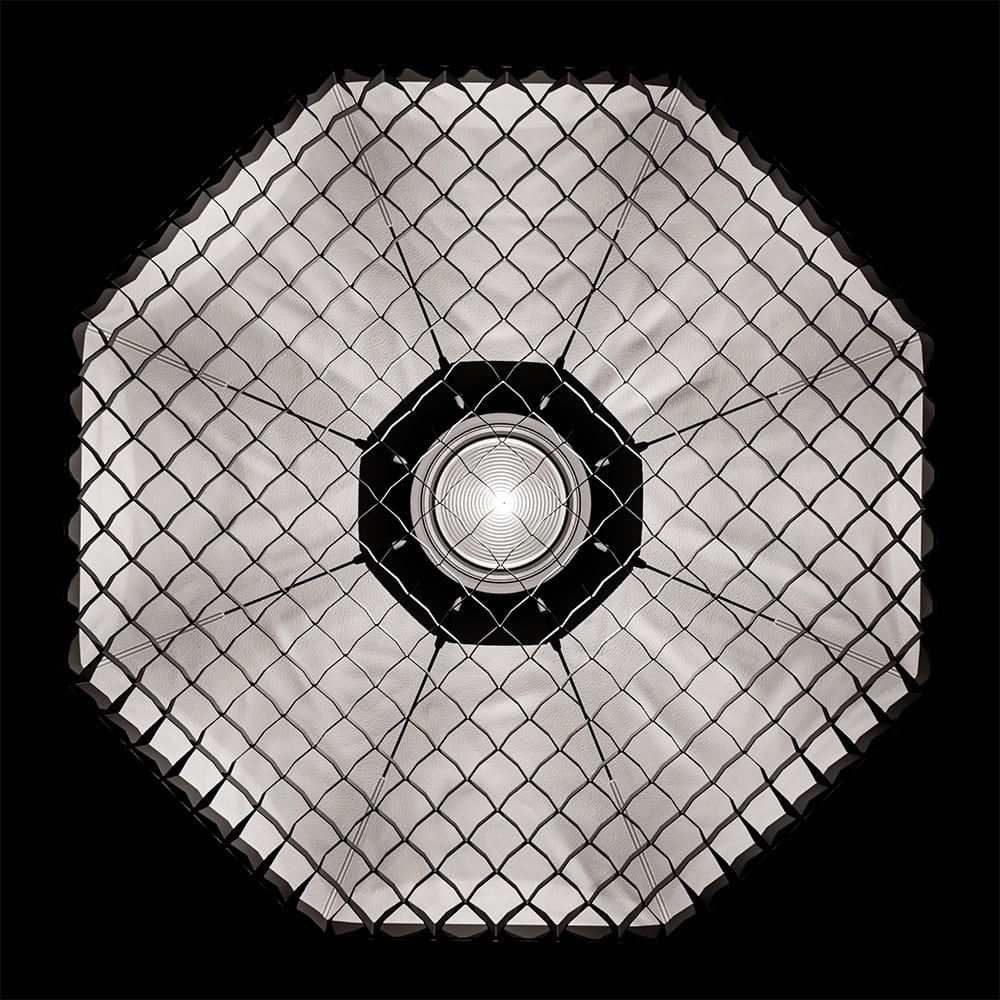
Creative patterns. Chromatic dispersions, rainbow projections, lasers, and abstract designs. These textures shape the emitted light directly — projecting color, pattern, and atmosphere into your scene. Rare in other collections and difficult to find at this level of quality.
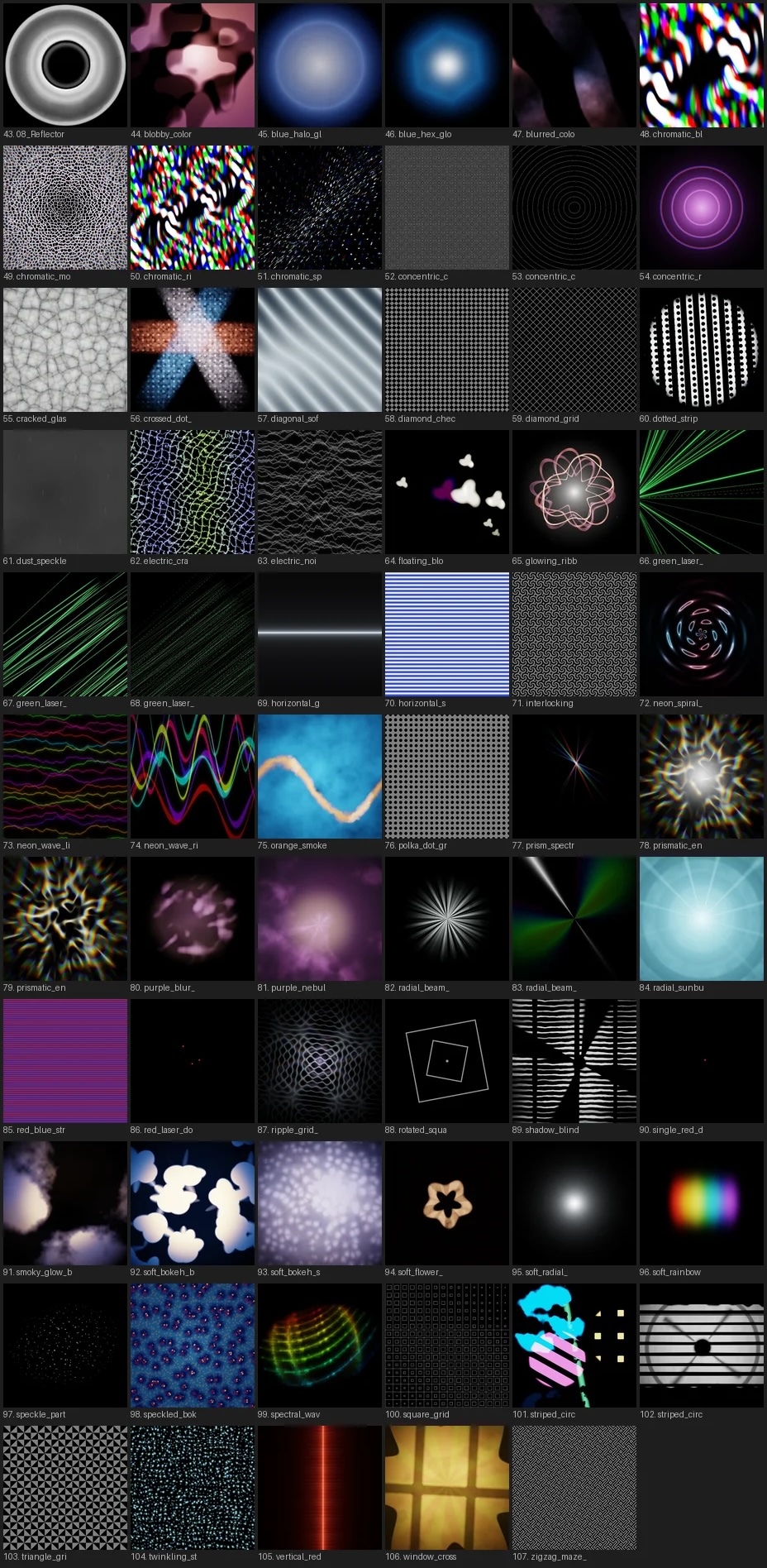

Every texture is true HDR — not PNG or JPEG. Most include animated counterparts as 10-bit HDR video, toggled with a single click.
The library ships with 100+ textures (60+ animated) and downloads directly inside Blender — no external files or manual setup. New textures are added over time at no additional cost.
Shadow patterns.
Gobo texture packs are everywhere. What sets Light Wrangler apart is how quickly you go from wanting a shadow pattern to seeing it on your render.
Enter gobo mode, choose a category, pick a texture — it's immediately applied. Each pattern has both a static and animated version, switchable in one click. The entire collection is art-directed for versatility across different scenes.
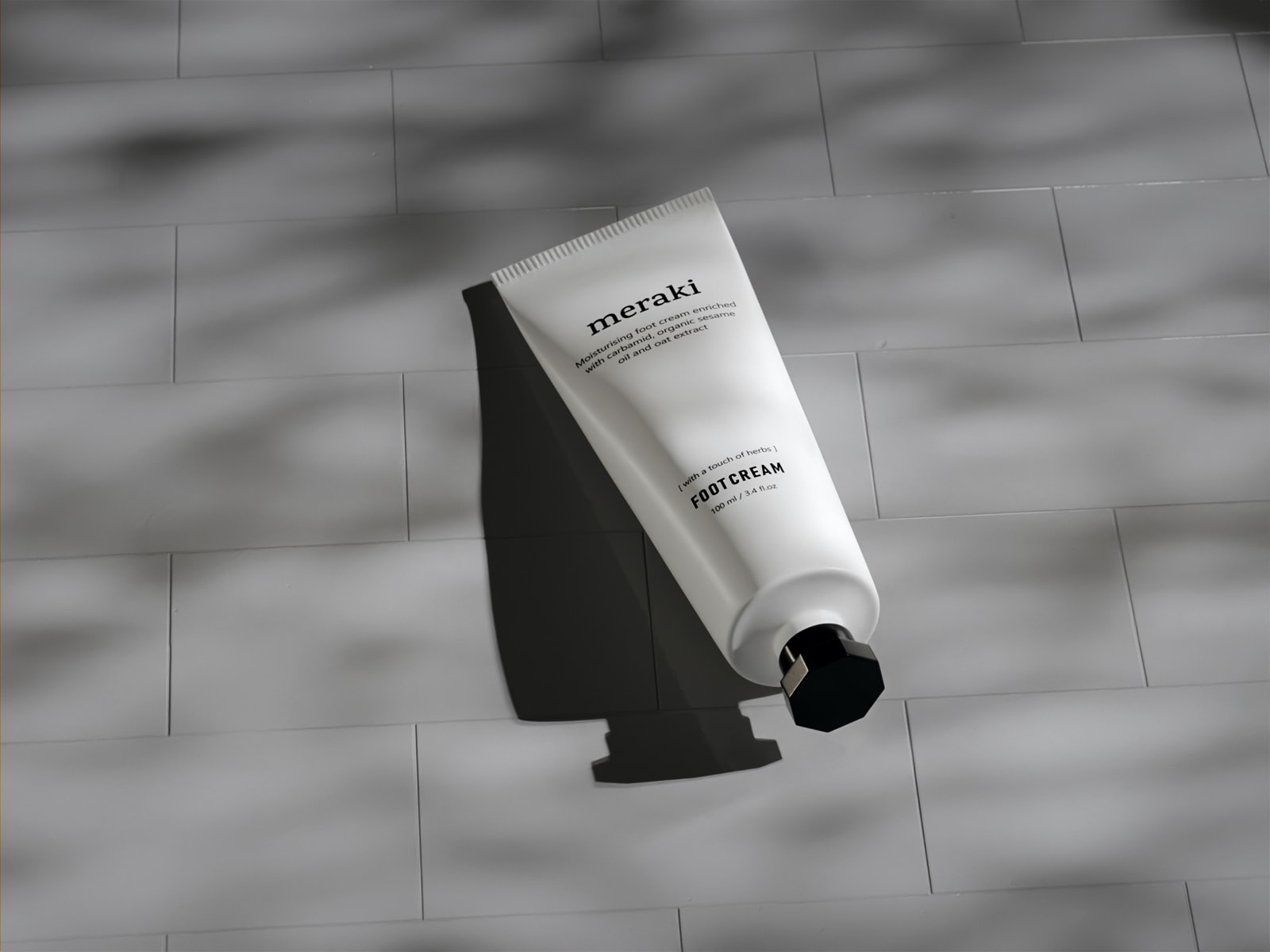
Gobo shadow on a finished render
Compatible with area lights, spotlights, and Eevee spotlights — same textures, same interface, same quality regardless of light type.
Gobo textures can also be applied to flags — details below.

115 patterns included, 77 animated. Browse and download everything from within Blender — the online library continues to expand at no extra cost.
30 IES profiles built in.
Accurate photometric light distribution data for point lights. Import your own IES files or browse IESLibrary.com for access to over 500,000 profiles.
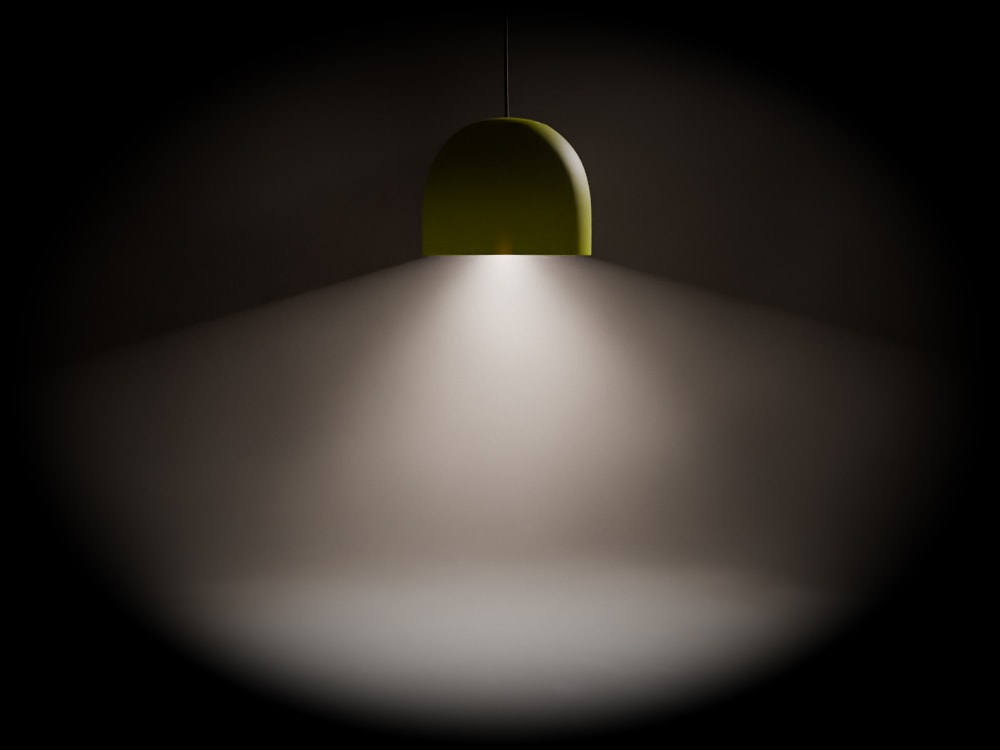
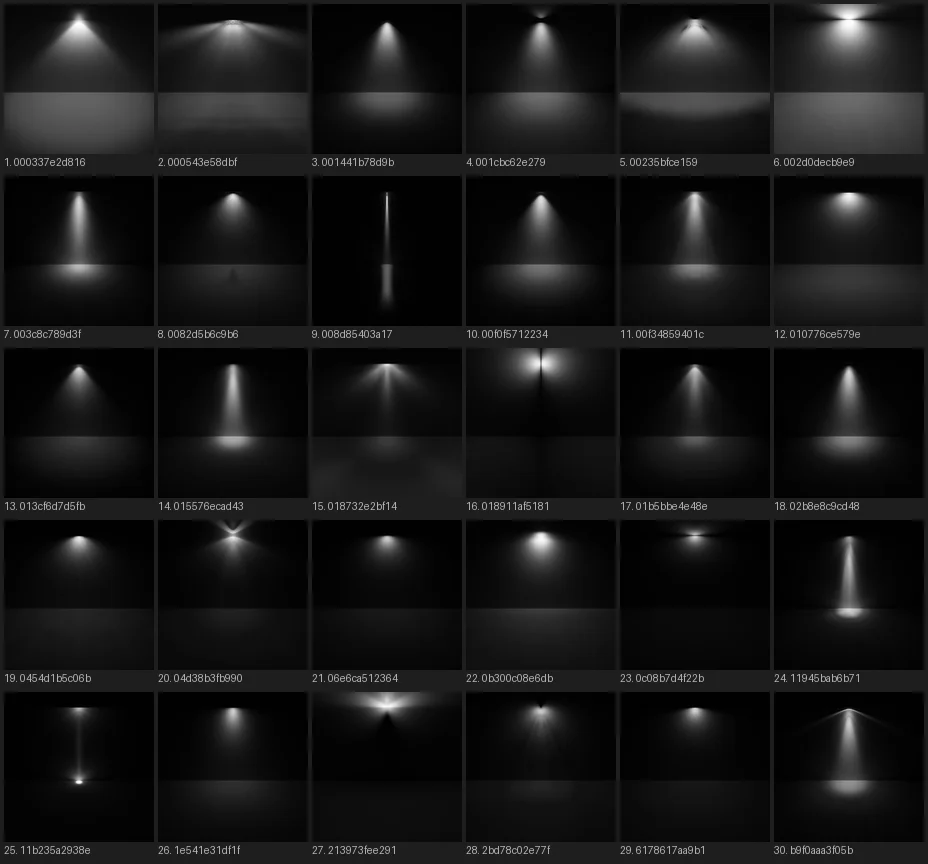
IES preview images © IES-Library, licensed under CC BY-ND 4.0
Everything above is accessible from a single panel.
Flags.
On a film set, flags are physical panels that block and shape light — controlling spill, creating negative fill, placing shadow exactly where it's needed. Light Wrangler makes them native objects in Blender.

Flags share the same interactive positioning system as lights. Reflect, Direct, Orbit — identical cursor-driven workflow and scroll-wheel controls. Place a flag the same way you'd place a light.
Standard mode
A solid panel with adjustable opacity. Cut light, shape shadows, add negative fill — straightforward and effective.
Gobo stencil mode
Map gobo textures directly onto the flag mesh rather than projecting from a light source. The stencil maintains an upright orientation by default, keeping shadows naturally vertical no matter where the light is angled.
More tools built in.
In addition to customization modes, Light Wrangler includes tools that apply across all light types.

Diffuse/Glossy slider. A per-light control that works like cross-polarization in photography. Remove specular hotspots while preserving diffuse illumination, isolate reflections, or blend smoothly between the two extremes.

Light & shadow linking. While in interactive mode, aim at any object and press L to include or exclude it from this light's influence. Shift+L controls shadow linking. No need to dig through panels — just point and toggle.
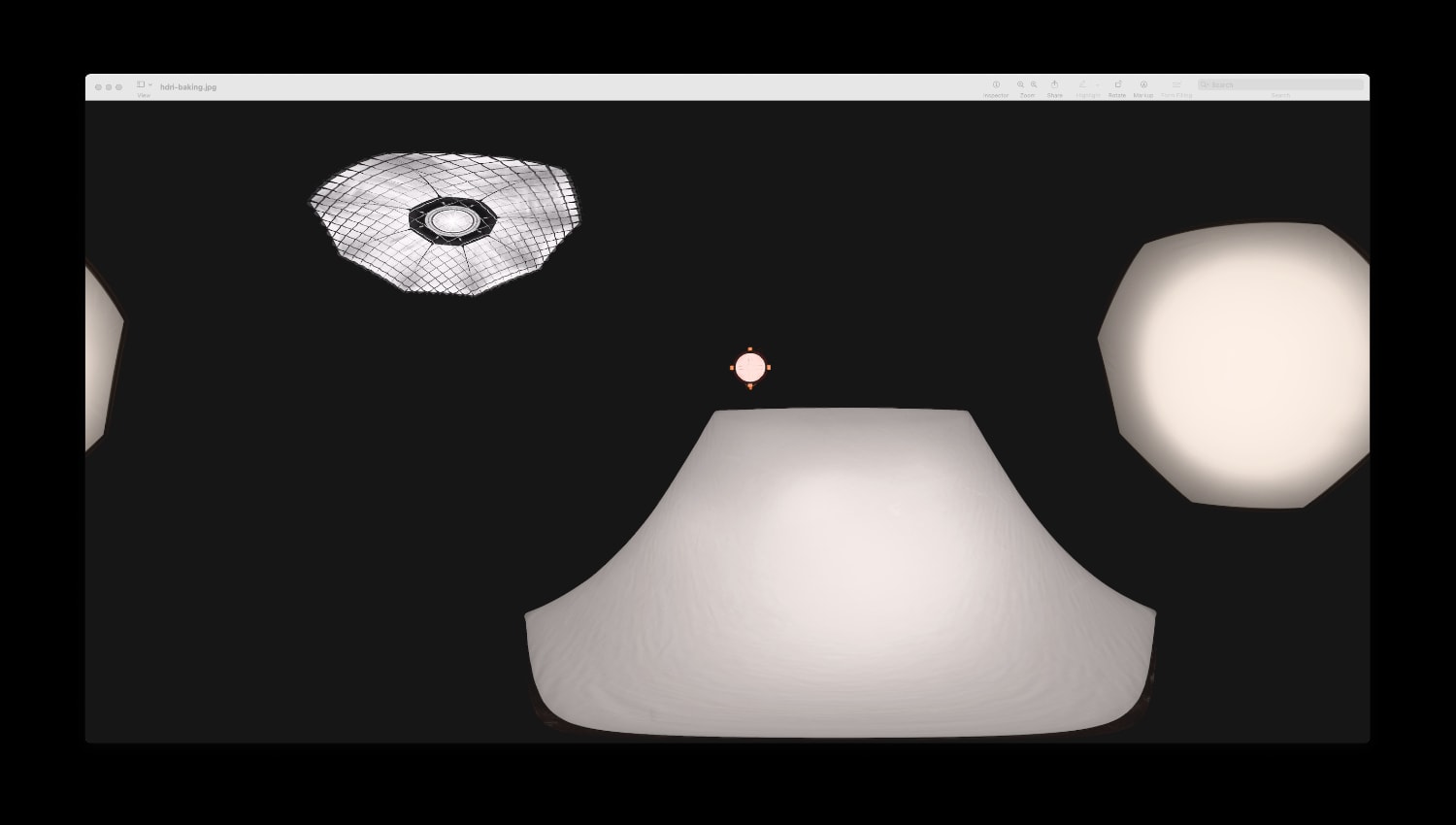
Bake to HDRI. Convert your entire lighting setup into a 360° environment map. Use it in other scenes, share it with collaborators, or set it as world lighting — especially valuable for Eevee, where light shader nodes aren't supported.

Viewport HDRI rotation. Alt + right-click drag rotates the world environment right in the viewport. No panels or properties editor required — just grab and spin.
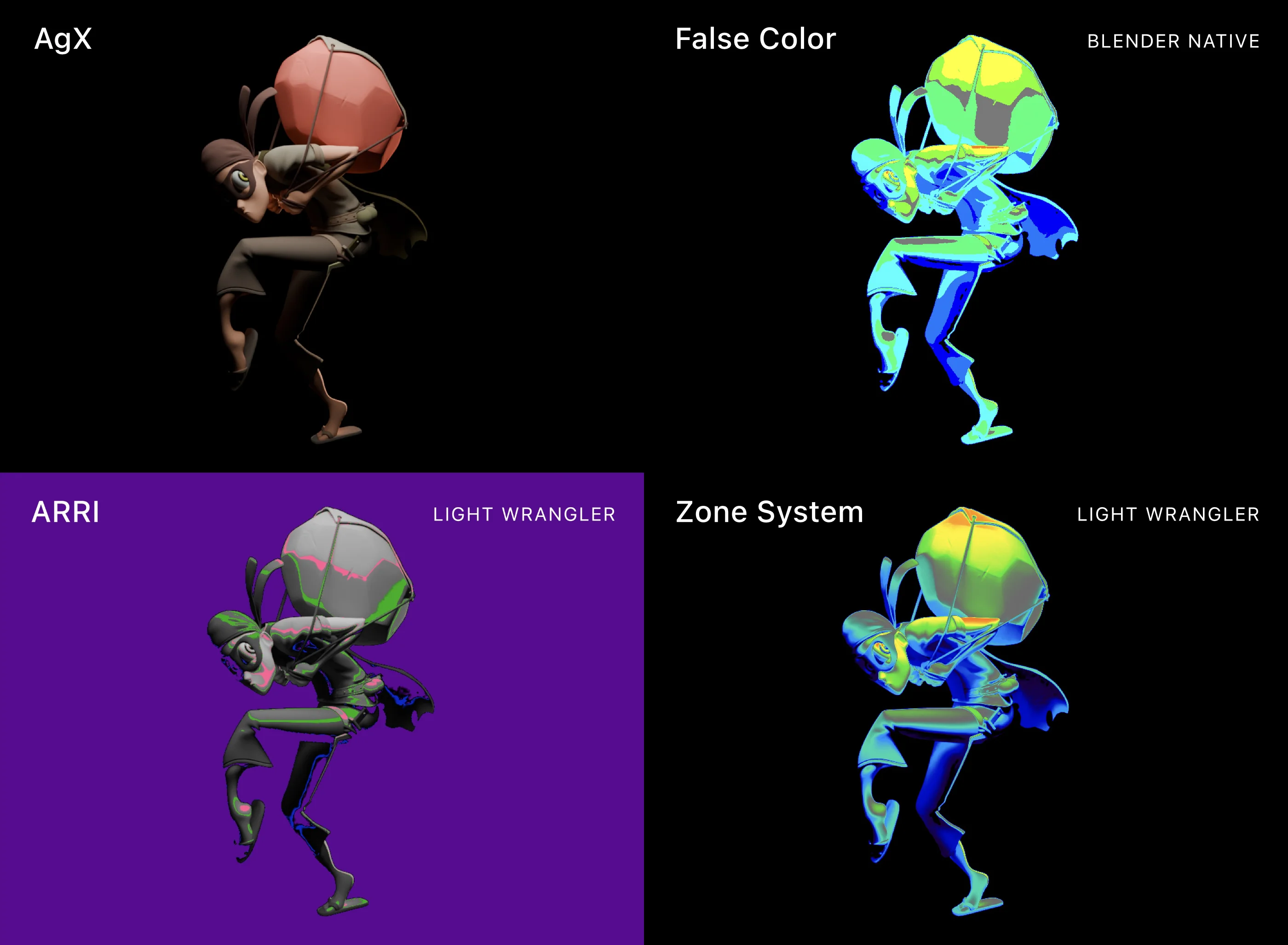
False Color. Monitor exposure as you light. Two modes available: Zone System for fine-grained tonal analysis, and ARRI for the industry standard used in professional video production. Activated with F during interactive mode — no workflow interruption.
Built to disappear.
Inspired by Node Wrangler and following the same design philosophy: it integrates into Blender rather than sitting on top of it. Light customization is in the Light Data tab, HDRI baking is in the World tab. No N-panel clutter, no floating windows — everything is where Blender users would expect to find it.
Auto power adjustment. Maintains perceived luminance as you change light distance, letting you experiment with falloff without constantly rebalancing power.
Adaptive light sizing. Newly created lights are automatically scaled relative to your selected objects — a sensible default that eliminates the immediate resize step.
Plus: Light isolation gizmo, obstacle detection, Track to Target, flicker presets, direct mode entry, configurable orbit axes, visibility toggle on selection.
A walkthrough of an earlier version — some details have evolved, but the core workflow remains the same.
What artists are saying
Gleb Alexandrov (Creative Shrimp) reviews an earlier version.
"I am a retired professional photographer. I light my Blender projects as I would in real life. This was very time consuming with stock Blender lights. Not to mention very little control. Light Wrangler changed all of that for me. Complete control from power to size and distance without taking your hand off the mouse. Then a library of Lighting HDRIs to simulate studio lighting. The capability of flagging (scrim) and accurate feathering. Whether you're a novice or a pro, this add-on should be your starting point in your light set-up."
— Donald Ramirez
"Basically an essential tool for Blender. Once you use it you can't imagine lighting the "old fashion" way. All the important tools are right at your fingertips and once you got the hang of the shortcuts it is a serious timesaver and makes lighting a much more fun and creative process as the add-on takes care of the annoying parts!"
— Jonas Noell
"I use it in professional setting and it saves me so much time and the results are so good. I used it in about 10 new scenes and I honestly don't ever want to think about going back to the old way of lighting. It's so simple to use that it's actually fun to light up the scene. This is a must have for anyone who deals with products."
— Milan
"This addon convinced me to switch to Blender."
— Jean Lovensky
"Fantastic Add-On for anyone doing product visualization. An overall fantastic time saver that helps me bring my renders to life. The support is amazing as well, and the developer is clearly one of the most capable devs I have had contact with in my over 15 years in the industry."
— Yannik Pipek
"Can't believe I went years without this addon. It's a complete game changer and makes my lighting look so much better and iterating lighting setups goes so fast. Please never stop updating this addon."
— Philip
"Absolutely fantastic. Blender need to build this into the program as standard and pay this man a handsome royalty."
— Max
Requirements & Support
Blender 4.2 or newer. Windows, macOS, Linux.
HDRI and gobo textures are downloaded from an external server directly inside Blender. All core features function fully offline. No separate registration or additional fees.
Also by Leonid Altman
Looking for more addons? See resources I recommend.
Ready to light differently?
Start with a free 7-day trial, or buy on SuperHive and Gumroad.