Tip
Keep Your Gobo Shadows Upright in Blender
March 17, 2026
If you project gobos from spotlights or area lights in Blender, you know that the gobo image follows the light's axis. For some textures — windows, blinds, doorways — that makes it hard to get the shadow orientation right on a wall. Here's an alternative approach.
The familiar setup
When a spotlight projects a gobo at an angle, the pattern gets trapezoid distortion on the wall.
Most people project gobos directly from a spotlight — you load a texture, point the light at the surface, and you get a shadow. The gobo image travels along the light's axis, so if the light is angled, the projection is angled too. For something like a window pattern hitting a wall, that can break the illusion — the shadow comes out skewed instead of looking like actual light through a window.
This isn't always a problem. If you're projecting a plant shadow onto a tabletop for a product render, the angle might not matter at all. But when the texture has a clear vertical orientation and it's hitting a vertical surface — that's when you notice it.
A different approach: flag gobos
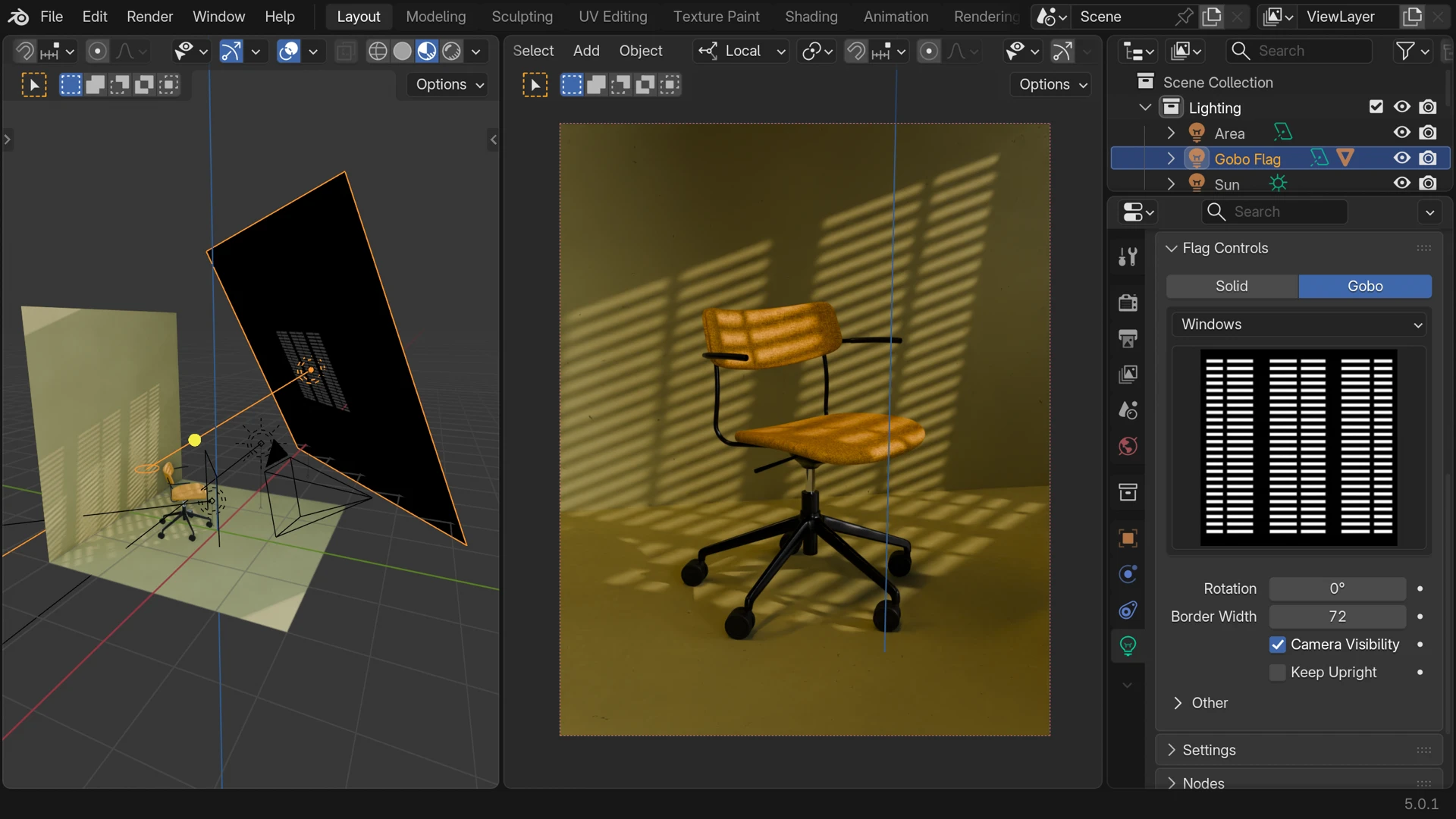
In Light Wrangler, there are two ways to use the built-in gobo collection: light gobo mode, where the texture is applied directly to the light source (the way most people are used to), and flag gobo mode, where a separate stencil plane is placed in front of the light.
The flag approach gives you more control — but the stencil plane can still tilt when you reposition the light, as you can see above.
Keep Upright
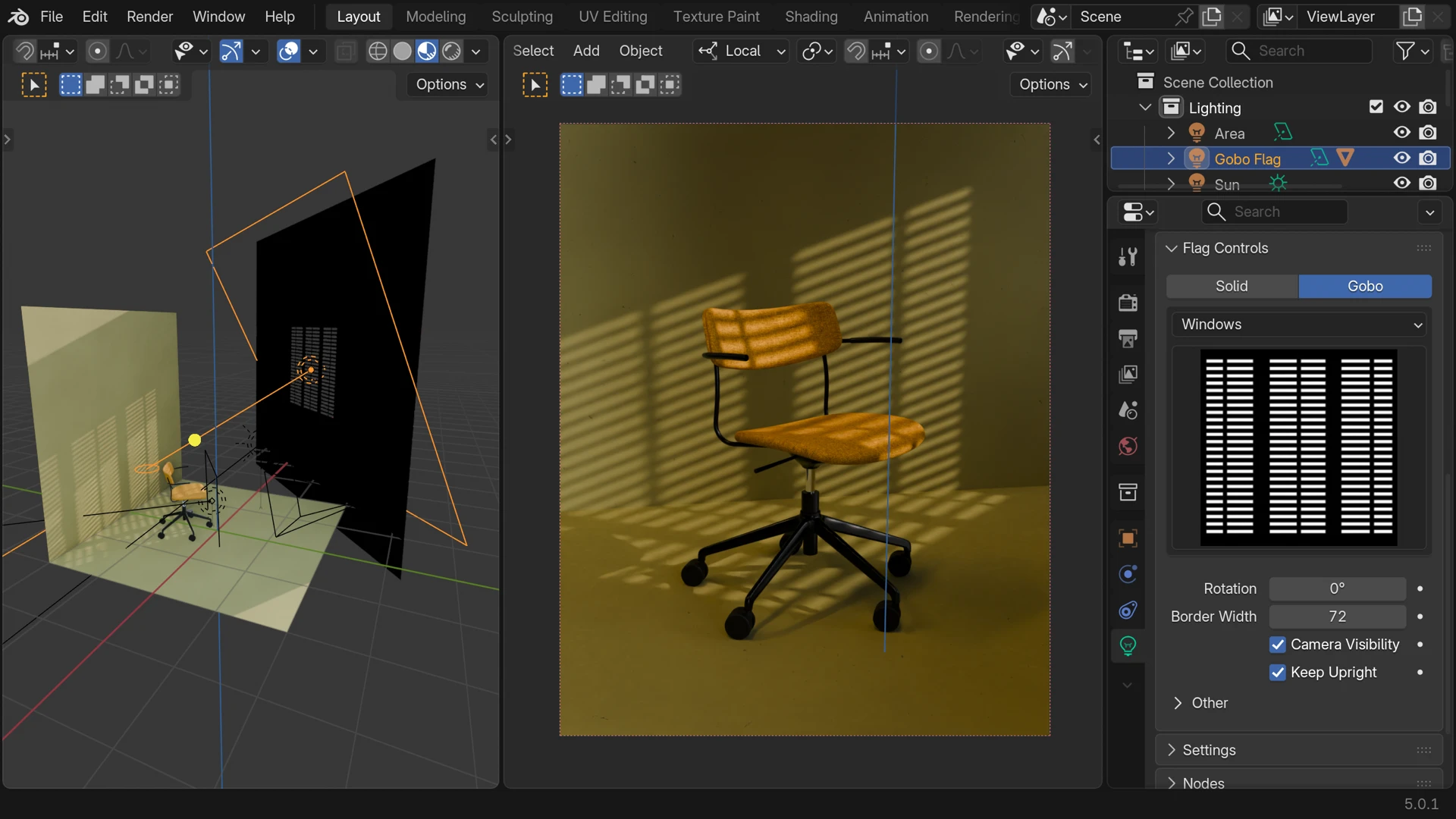
In the Flag Controls panel, there's a Keep Upright checkbox. When it's on, the stencil plane automatically maintains its vertical orientation no matter how you move or rotate the light. The gobo stays independent from the light's angle — the window shadow keeps looking like a window.
It's a small thing, but in the right situation it saves you from manually correcting the stencil rotation every time you adjust the light.
Light Wrangler includes gobos, flags, and more
Interactive light placement, scrims, gradients, IES profiles, HDRI baking — all in one addon.